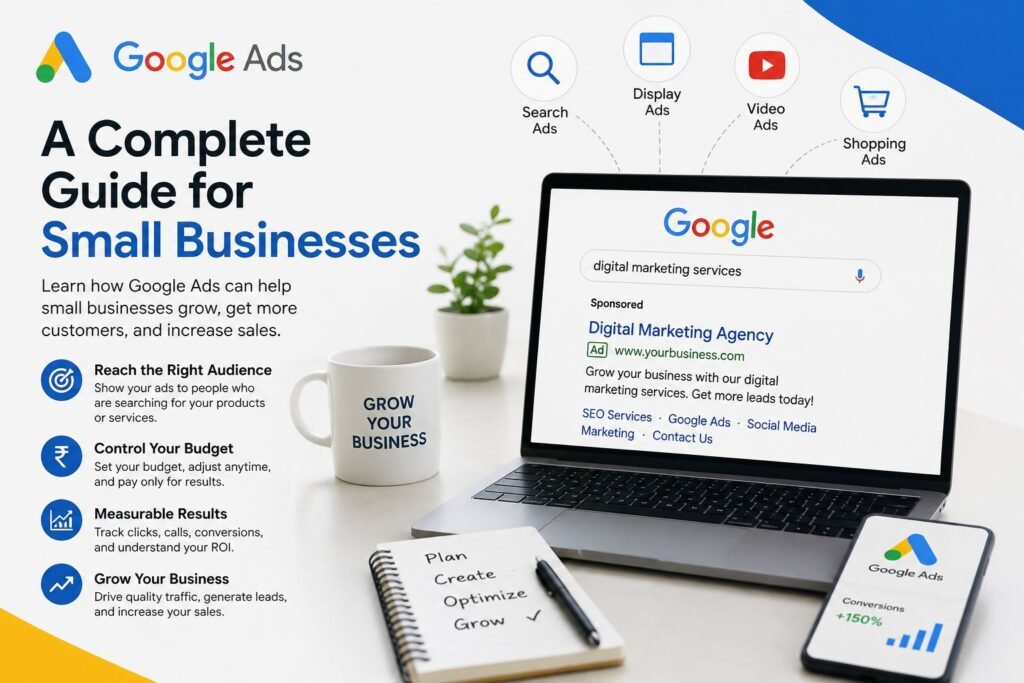
In today’s competitive digital world, getting your business noticed online can be challenging, especially for small businesses. You may have a great product or service, an attractive website, and an active social media presence, but reaching the right customers at the right time is what truly matters.
This is where Google Ads can make a significant difference.
Google Ads is one of the most powerful online advertising platforms available to businesses of all sizes. It allows you to promote your products and services to people who are actively searching for what you offer. Instead of waiting for customers to discover your business organically, Google Ads can help you appear in front of potential customers when they are ready to take action.
In this complete guide, we will explore what Google Ads is, how it works, its benefits for small businesses, different campaign types, budgeting strategies, common mistakes, and tips for creating successful campaigns.
What Is Google Ads?
Google Ads is an online advertising platform developed by Google that allows businesses to display advertisements across Google’s search engine and other Google-owned platforms and partner websites.
For example, imagine you own a digital marketing agency. Someone searches Google for:
“Best digital marketing agency near me”
If you have created a relevant Google Ads campaign, your advertisement may appear at the top of the search results.
Google Ads works primarily through a pay-per-click model, commonly known as PPC. This means that in many campaigns, you pay when someone clicks on your advertisement rather than simply when the advertisement is displayed.
This makes Google Ads particularly useful for small businesses because you can control how much you spend and target specific audiences.
Why Google Ads Is Important for Small Businesses
Small businesses often compete with larger companies that have bigger marketing budgets. Google Ads can help level the playing field by allowing businesses to target specific customers instead of spending money trying to reach everyone.
Here are some important benefits of Google Ads for small businesses.
- Reach Customers Who Are Already Searching
One of the biggest advantages of Google Ads is search intent.
When someone searches for a product or service, they already have a specific need or interest. For example:
- “Best bakery near me”
- “Digital marketing services”
- “Ladies boutique online”
- “Website development company”
- “SEO services for small business”
These searches indicate that the person may already be interested in purchasing something.
Google Ads allows your business to appear when these relevant searches happen.
- Control Your Advertising Budget
Small businesses may not have unlimited marketing budgets. Google Ads allows you to set budgets according to your financial capacity.
You can decide how much you want to spend per day or over a specific period. You can also adjust your budget based on campaign performance.
For example, if a campaign is generating good leads, you may increase its budget. If another campaign is not performing well, you can reduce spending or pause it.
This flexibility makes Google Ads suitable for businesses of different sizes.
- Target the Right Audience
Google Ads provides several targeting options.
Depending on the campaign type, you can target customers based on factors such as:
- Location
- Search keywords
- Language
- Audience interests
- Demographics
- Devices
- Online behavior
- Previous interactions with your business
For a local business, location targeting can be especially valuable.
For example, if you operate a salon in Malappuram, you may want your advertisements to reach people searching for salon services in your area rather than people living in another state.
- Get Faster Visibility
SEO is an excellent long-term marketing strategy, but ranking organically on Google can take time.
Google Ads can provide paid visibility much faster.
With a properly structured campaign, your advertisement can start appearing for relevant searches once the campaign is approved and running.
This can be useful when launching a new business, promoting a special offer, generating leads, or introducing a new service.
How Does Google Ads Work?
Google Ads may seem complicated at first, but the basic process is relatively simple.
First, you identify what you want to advertise and who your ideal customers are.
Next, you choose relevant keywords, create advertisements, select your target audience and location, and set your budget.
When someone performs a relevant search, Google considers multiple factors when deciding which ads are eligible to appear and in what position.
Your ad’s position is influenced by factors including your bid, ad relevance, landing page experience, and other elements considered by Google’s advertising system.
This means that simply spending more money does not automatically guarantee the best position.
A well-structured and relevant campaign can often perform better than a poorly optimized campaign with a larger budget.
Types of Google Ads Campaigns
Google Ads offers different campaign types designed for different marketing objectives.
- Search Ads
Search Ads are text advertisements that can appear on Google search results when people search for relevant terms.
They are particularly effective for businesses offering services or products that customers actively search for.
Examples include:
- SEO services
- Plumbers
- Dentists
- Restaurants
- Real estate services
- Online courses
- Web development
- Display Ads
Display Ads are visual advertisements that can appear across websites, apps, and other placements within Google’s advertising network.
They can be useful for increasing brand awareness and reaching potential customers while they browse online.
For example, an online fashion business could use attractive banner advertisements to introduce its products to potential customers.
- Shopping Ads
Shopping Ads are designed primarily for businesses that sell products online.
They can display product information such as images, prices, and store details, helping potential customers compare products before clicking.
These campaigns can be particularly useful for e-commerce businesses.
- Video Ads
Video advertising can help businesses reach customers through YouTube and other eligible placements.
Video is useful for demonstrating products, explaining services, sharing customer experiences, and building brand awareness.
- Performance Max
Performance Max campaigns allow advertisers to access multiple Google advertising channels through a single campaign.
They can be useful when your goal is to reach potential customers across Google’s advertising ecosystem and drive conversions.
However, successful results still depend heavily on good conversion tracking, creative assets, audience signals, and campaign setup.
Choosing the Right Keywords
Keywords are an important part of search advertising.
A keyword represents the search term or concept you want your advertisement to be relevant to.
For example, if you provide SEO services, possible keywords might include:
- SEO services
- SEO agency
- SEO expert
- affordable SEO services
- SEO services for small businesses
However, keyword selection should not be based only on search volume.
You should also consider:
Relevance: Does the keyword match your product or service?
Search intent: Is the person looking for information or ready to purchase?
Competition: How competitive is the keyword?
Cost: Can you afford to compete for the keyword?
Using highly relevant keywords can help attract better-quality visitors.
Creating Effective Google Ads
A successful advertisement should communicate value quickly.
A good search advertisement generally includes:
- A relevant headline
- Clear benefits
- Strong keywords
- A compelling description
- A clear call to action
For example:
Headline: Digital Marketing Services for Small Businesses
Description: Grow your online presence with SEO, social media marketing and Google Ads. Contact us today.
Call to Action: Get Started
Your advertisement should match the user’s search intent and clearly explain why they should choose your business.
Landing Pages Matter
Getting someone to click your advertisement is only the first step.
After clicking, the customer should reach a relevant and user-friendly landing page.
If your advertisement promotes SEO services but sends visitors to a generic homepage, they may leave without taking action.
A strong landing page should include:
- A clear headline
- Information about the service
- Benefits
- Trust signals
- Testimonials or reviews
- Relevant images
- A clear call to action
- Contact information
The landing page should make it easy for visitors to understand your offer and take the next step.
Setting a Google Ads Budget
There is no single perfect budget for every small business.
Your budget depends on factors such as:
- Industry
- Competition
- Location
- Keywords
- Product price
- Customer lifetime value
- Campaign objective
- Expected conversion rate
It is usually better to start with a manageable budget, collect data, understand performance, and then optimize.
Instead of asking, “How much should I spend on Google Ads?”, ask:
“How much can I profitably spend to acquire one customer?”
Understanding your customer acquisition cost can help you make better advertising decisions.
Measuring Google Ads Performance
One of the biggest advantages of digital advertising is that you can measure results.
Important metrics include:
Clicks
The number of times people click your advertisements.
Impressions
The number of times your advertisements are shown.
Click-Through Rate (CTR)
CTR indicates how frequently people click your ad after seeing it.
Cost Per Click (CPC)
CPC represents the average amount paid for clicks.
Conversions
A conversion is a valuable action completed by a customer, such as:
- Buying a product
- Submitting a contact form
- Calling your business
- Booking an appointment
- Signing up for a service
Conversion Rate
Conversion rate shows the percentage of users who complete a desired action after interacting with your campaign.
Return on Ad Spend (ROAS)
ROAS helps e-commerce and revenue-focused businesses understand how much revenue is generated compared with advertising spend.
Tracking these metrics allows you to understand what is working and where improvements are needed.
Common Google Ads Mistakes Small Businesses Should Avoid
- Targeting Too Broadly
Targeting everyone can waste your budget.
Focus on the locations, keywords, and audiences most relevant to your business.
- Ignoring Negative Keywords
Negative keywords can help prevent your ads from appearing for irrelevant searches.
For example, if you sell premium paid courses, you may want to exclude searches related to free courses if those searches consistently produce irrelevant traffic.
- Sending Everyone to the Homepage
Different advertisements should ideally lead to relevant pages.
A specific service advertisement should take visitors to a page focused on that service.
- Not Tracking Conversions
Without conversion tracking, it becomes difficult to determine whether your advertisements are actually generating business results.
- Focusing Only on Clicks
A campaign can receive many clicks without generating customers.
The ultimate goal should usually be meaningful business outcomes rather than clicks alone.
- Not Optimizing Campaigns
Launching a campaign and never reviewing it can lead to wasted money.
Google Ads campaigns should be regularly monitored and optimized based on performance data.
Google Ads vs SEO
Google Ads and SEO are different but complementary strategies.
Google Ads can provide paid visibility and faster traffic, while SEO focuses on improving organic visibility over the long term.
For many small businesses, combining both strategies can be powerful.
Google Ads can help generate immediate visibility and collect valuable information about customer searches and behavior, while SEO can build sustainable organic traffic over time.
How Small Businesses Can Build a Successful Google Ads Strategy
A simple strategy can follow these steps:
Step 1: Define your business goal.
Step 2: Identify your ideal customer.
Step 3: Research relevant keywords.
Step 4: Select the right campaign type.
Step 5: Create relevant advertisements.
Step 6: Build optimized landing pages.
Step 7: Set a realistic budget.
Step 8: Install and verify conversion tracking.
Step 9: Launch your campaign.
Step 10: Monitor, test, and optimize regularly.
The process should be treated as continuous improvement rather than a one-time activity.
Final Thoughts
Google Ads can be a powerful growth tool for small businesses when it is planned and managed correctly. It can help businesses reach customers who are actively searching for their products or services, control advertising budgets, measure performance, and generate valuable leads or sales.
However, successful Google Ads marketing is not simply about spending money on advertisements. The real results come from choosing the right audience, using relevant keywords, creating compelling advertisements, optimizing landing pages, tracking conversions, and continuously improving campaigns.
For small businesses looking to grow their online presence, Google Ads can become an important part of a broader digital marketing strategy.
When combined with SEO, social media marketing, content marketing, and a strong website, Google Ads can help turn online visibility into measurable business growth.
The key is simple: reach the right people, with the right message, at the right time—and continuously optimize based on real data.In today’s competitive digital world, getting your business noticed online can be challenging, especially for small businesses. You may have a great product or service, an attractive website, and an active social media presence, but reaching the right customers at the right time is what truly matters.
This is where Google Ads can make a significant difference.
Google Ads is one of the most powerful online advertising platforms available to businesses of all sizes. It allows you to promote your products and services to people who are actively searching for what you offer. Instead of waiting for customers to discover your business organically, Google Ads can help you appear in front of potential customers when they are ready to take action.
In this complete guide, we will explore what Google Ads is, how it works, its benefits for small businesses, different campaign types, budgeting strategies, common mistakes, and tips for creating successful campaigns.
What Is Google Ads?
Google Ads is an online advertising platform developed by Google that allows businesses to display advertisements across Google’s search engine and other Google-owned platforms and partner websites.
For example, imagine you own a digital marketing agency. Someone searches Google for:
“Best digital marketing agency near me”
If you have created a relevant Google Ads campaign, your advertisement may appear at the top of the search results.
Google Ads works primarily through a pay-per-click model, commonly known as PPC. This means that in many campaigns, you pay when someone clicks on your advertisement rather than simply when the advertisement is displayed.
This makes Google Ads particularly useful for small businesses because you can control how much you spend and target specific audiences.
Why Google Ads Is Important for Small Businesses
Small businesses often compete with larger companies that have bigger marketing budgets. Google Ads can help level the playing field by allowing businesses to target specific customers instead of spending money trying to reach everyone.
Here are some important benefits of Google Ads for small businesses.
- Reach Customers Who Are Already Searching
One of the biggest advantages of Google Ads is search intent.
When someone searches for a product or service, they already have a specific need or interest. For example:
- “Best bakery near me”
- “Digital marketing services”
- “Ladies boutique online”
- “Website development company”
- “SEO services for small business”
These searches indicate that the person may already be interested in purchasing something.
Google Ads allows your business to appear when these relevant searches happen.
- Control Your Advertising Budget
Small businesses may not have unlimited marketing budgets. Google Ads allows you to set budgets according to your financial capacity.
You can decide how much you want to spend per day or over a specific period. You can also adjust your budget based on campaign performance.
For example, if a campaign is generating good leads, you may increase its budget. If another campaign is not performing well, you can reduce spending or pause it.
This flexibility makes Google Ads suitable for businesses of different sizes.
- Target the Right Audience
Google Ads provides several targeting options.
Depending on the campaign type, you can target customers based on factors such as:
- Location
- Search keywords
- Language
- Audience interests
- Demographics
- Devices
- Online behavior
- Previous interactions with your business
For a local business, location targeting can be especially valuable.
For example, if you operate a salon in Malappuram, you may want your advertisements to reach people searching for salon services in your area rather than people living in another state.
- Get Faster Visibility
SEO is an excellent long-term marketing strategy, but ranking organically on Google can take time.
Google Ads can provide paid visibility much faster.
With a properly structured campaign, your advertisement can start appearing for relevant searches once the campaign is approved and running.
This can be useful when launching a new business, promoting a special offer, generating leads, or introducing a new service.
How Does Google Ads Work?
Google Ads may seem complicated at first, but the basic process is relatively simple.
First, you identify what you want to advertise and who your ideal customers are.
Next, you choose relevant keywords, create advertisements, select your target audience and location, and set your budget.
When someone performs a relevant search, Google considers multiple factors when deciding which ads are eligible to appear and in what position.
Your ad’s position is influenced by factors including your bid, ad relevance, landing page experience, and other elements considered by Google’s advertising system.
This means that simply spending more money does not automatically guarantee the best position.
A well-structured and relevant campaign can often perform better than a poorly optimized campaign with a larger budget.
Types of Google Ads Campaigns
Google Ads offers different campaign types designed for different marketing objectives.
- Search Ads
Search Ads are text advertisements that can appear on Google search results when people search for relevant terms.
They are particularly effective for businesses offering services or products that customers actively search for.
Examples include:
- SEO services
- Plumbers
- Dentists
- Restaurants
- Real estate services
- Online courses
- Web development
- Display Ads
Display Ads are visual advertisements that can appear across websites, apps, and other placements within Google’s advertising network.
They can be useful for increasing brand awareness and reaching potential customers while they browse online.
For example, an online fashion business could use attractive banner advertisements to introduce its products to potential customers.
- Shopping Ads
Shopping Ads are designed primarily for businesses that sell products online.
They can display product information such as images, prices, and store details, helping potential customers compare products before clicking.
These campaigns can be particularly useful for e-commerce businesses.
- Video Ads
Video advertising can help businesses reach customers through YouTube and other eligible placements.
Video is useful for demonstrating products, explaining services, sharing customer experiences, and building brand awareness.
- Performance Max
Performance Max campaigns allow advertisers to access multiple Google advertising channels through a single campaign.
They can be useful when your goal is to reach potential customers across Google’s advertising ecosystem and drive conversions.
However, successful results still depend heavily on good conversion tracking, creative assets, audience signals, and campaign setup.
Choosing the Right Keywords
Keywords are an important part of search advertising.
A keyword represents the search term or concept you want your advertisement to be relevant to.
For example, if you provide SEO services, possible keywords might include:
- SEO services
- SEO agency
- SEO expert
- affordable SEO services
- SEO services for small businesses
However, keyword selection should not be based only on search volume.
You should also consider:
Relevance: Does the keyword match your product or service?
Search intent: Is the person looking for information or ready to purchase?
Competition: How competitive is the keyword?
Cost: Can you afford to compete for the keyword?
Using highly relevant keywords can help attract better-quality visitors.
Creating Effective Google Ads
A successful advertisement should communicate value quickly.
A good search advertisement generally includes:
- A relevant headline
- Clear benefits
- Strong keywords
- A compelling description
- A clear call to action
For example:
Headline: Digital Marketing Services for Small Businesses
Description: Grow your online presence with SEO, social media marketing and Google Ads. Contact us today.
Call to Action: Get Started
Your advertisement should match the user’s search intent and clearly explain why they should choose your business.
Landing Pages Matter
Getting someone to click your advertisement is only the first step.
After clicking, the customer should reach a relevant and user-friendly landing page.
If your advertisement promotes SEO services but sends visitors to a generic homepage, they may leave without taking action.
A strong landing page should include:
- A clear headline
- Information about the service
- Benefits
- Trust signals
- Testimonials or reviews
- Relevant images
- A clear call to action
- Contact information
The landing page should make it easy for visitors to understand your offer and take the next step.
Setting a Google Ads Budget
There is no single perfect budget for every small business.
Your budget depends on factors such as:
- Industry
- Competition
- Location
- Keywords
- Product price
- Customer lifetime value
- Campaign objective
- Expected conversion rate
It is usually better to start with a manageable budget, collect data, understand performance, and then optimize.
Instead of asking, “How much should I spend on Google Ads?”, ask:
“How much can I profitably spend to acquire one customer?”
Understanding your customer acquisition cost can help you make better advertising decisions.
Measuring Google Ads Performance
One of the biggest advantages of digital advertising is that you can measure results.
Important metrics include:
Clicks
The number of times people click your advertisements.
Impressions
The number of times your advertisements are shown.
Click-Through Rate (CTR)
CTR indicates how frequently people click your ad after seeing it.
Cost Per Click (CPC)
CPC represents the average amount paid for clicks.
Conversions
A conversion is a valuable action completed by a customer, such as:
- Buying a product
- Submitting a contact form
- Calling your business
- Booking an appointment
- Signing up for a service
Conversion Rate
Conversion rate shows the percentage of users who complete a desired action after interacting with your campaign.
Return on Ad Spend (ROAS)
ROAS helps e-commerce and revenue-focused businesses understand how much revenue is generated compared with advertising spend.
Tracking these metrics allows you to understand what is working and where improvements are needed.
Common Google Ads Mistakes Small Businesses Should Avoid
- Targeting Too Broadly
Targeting everyone can waste your budget.
Focus on the locations, keywords, and audiences most relevant to your business.
- Ignoring Negative Keywords
Negative keywords can help prevent your ads from appearing for irrelevant searches.
For example, if you sell premium paid courses, you may want to exclude searches related to free courses if those searches consistently produce irrelevant traffic.
- Sending Everyone to the Homepage
Different advertisements should ideally lead to relevant pages.
A specific service advertisement should take visitors to a page focused on that service.
- Not Tracking Conversions
Without conversion tracking, it becomes difficult to determine whether your advertisements are actually generating business results.
- Focusing Only on Clicks
A campaign can receive many clicks without generating customers.
The ultimate goal should usually be meaningful business outcomes rather than clicks alone.
- Not Optimizing Campaigns
Launching a campaign and never reviewing it can lead to wasted money.
Google Ads campaigns should be regularly monitored and optimized based on performance data.
Google Ads vs SEO
Google Ads and SEO are different but complementary strategies.
Google Ads can provide paid visibility and faster traffic, while SEO focuses on improving organic visibility over the long term.
For many small businesses, combining both strategies can be powerful.
Google Ads can help generate immediate visibility and collect valuable information about customer searches and behavior, while SEO can build sustainable organic traffic over time.
How Small Businesses Can Build a Successful Google Ads Strategy
A simple strategy can follow these steps:
Step 1: Define your business goal.
Step 2: Identify your ideal customer.
Step 3: Research relevant keywords.
Step 4: Select the right campaign type.
Step 5: Create relevant advertisements.
Step 6: Build optimized landing pages.
Step 7: Set a realistic budget.
Step 8: Install and verify conversion tracking.
Step 9: Launch your campaign.
Step 10: Monitor, test, and optimize regularly.
The process should be treated as continuous improvement rather than a one-time activity.
Final Thoughts
Google Ads can be a powerful growth tool for small businesses when it is planned and managed correctly. It can help businesses reach customers who are actively searching for their products or services, control advertising budgets, measure performance, and generate valuable leads or sales.
However, successful Google Ads marketing is not simply about spending money on advertisements. The real results come from choosing the right audience, using relevant keywords, creating compelling advertisements, optimizing landing pages, tracking conversions, and continuously improving campaigns.
For small businesses looking to grow their online presence, Google Ads can become an important part of a broader digital marketing strategy.
When combined with SEO, social media marketing, content marketing, and a strong website, Google Ads can help turn online visibility into measurable business growth.
The key is simple: reach the right people, with the right message, at the right time—and continuously optimize based on real data.